
Your AI assistant that gets things done
Dream it.
Do it.
Tell Helmy what you want done, and it does the work in your folders and accounts. It runs on Claude Code, Codex or OpenCode, so you use what you already have.
Free and open source. Pairs with your phone in one scan.

Bring your own subscription
 Claude Code
 Codex
 Ollama
Helmy doesn't resell anything. Sign in with the accounts you already have. When one runs low, Helmy switches to another, and the conversation comes along.
Helmy chooses
You say what. Helmy figures out how.
Each message goes to whichever tool can handle it and has the most room left. Quick questions can go to free models. If another account has a lot more room, the chat moves there, history and all.
- No model picker. No effort dial.
- Two Claude accounts? Helmy takes turns.
- With Ollama, a model on your Mac answers when you are offline.

Design
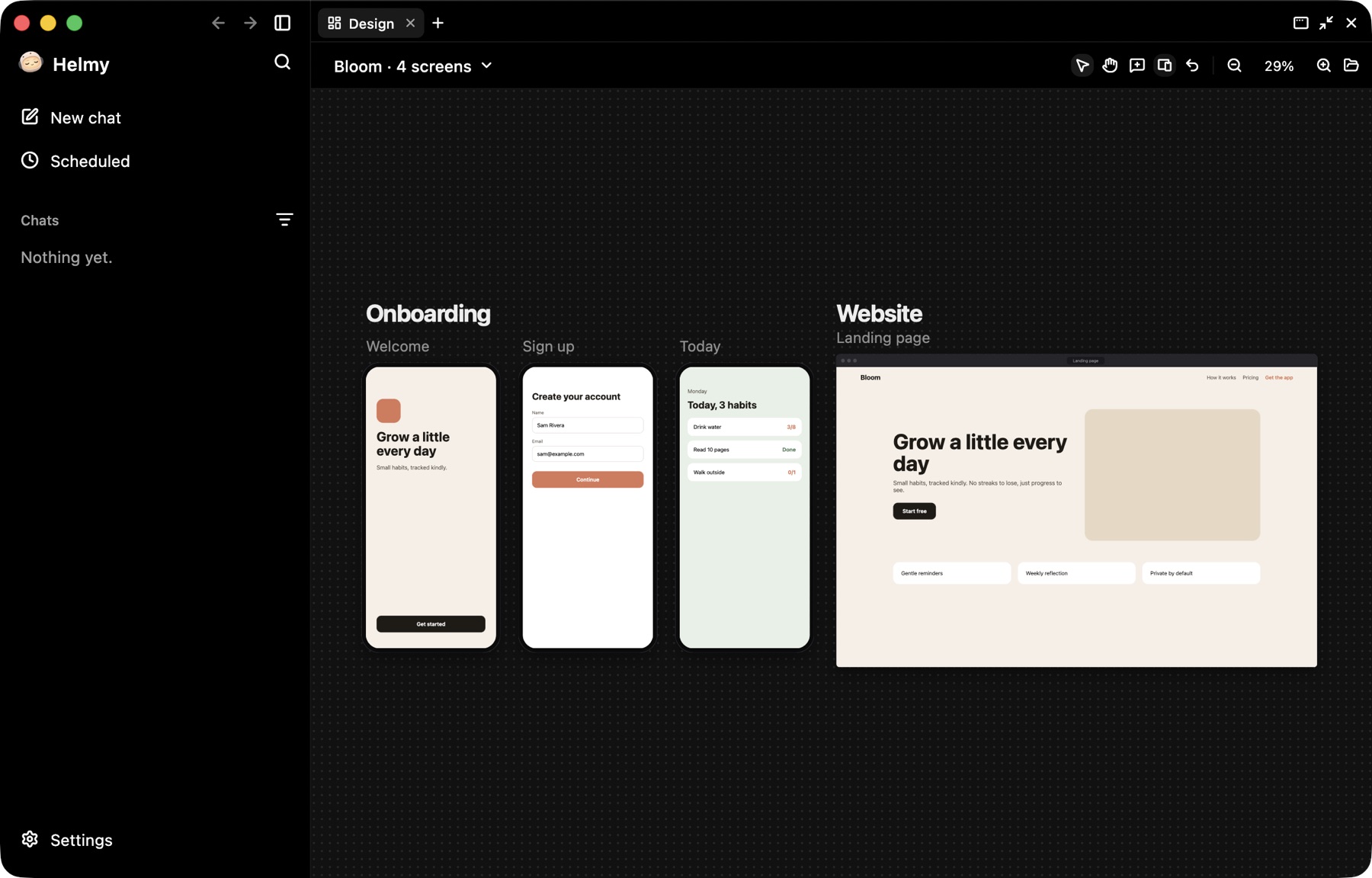
Design screens by asking for them.
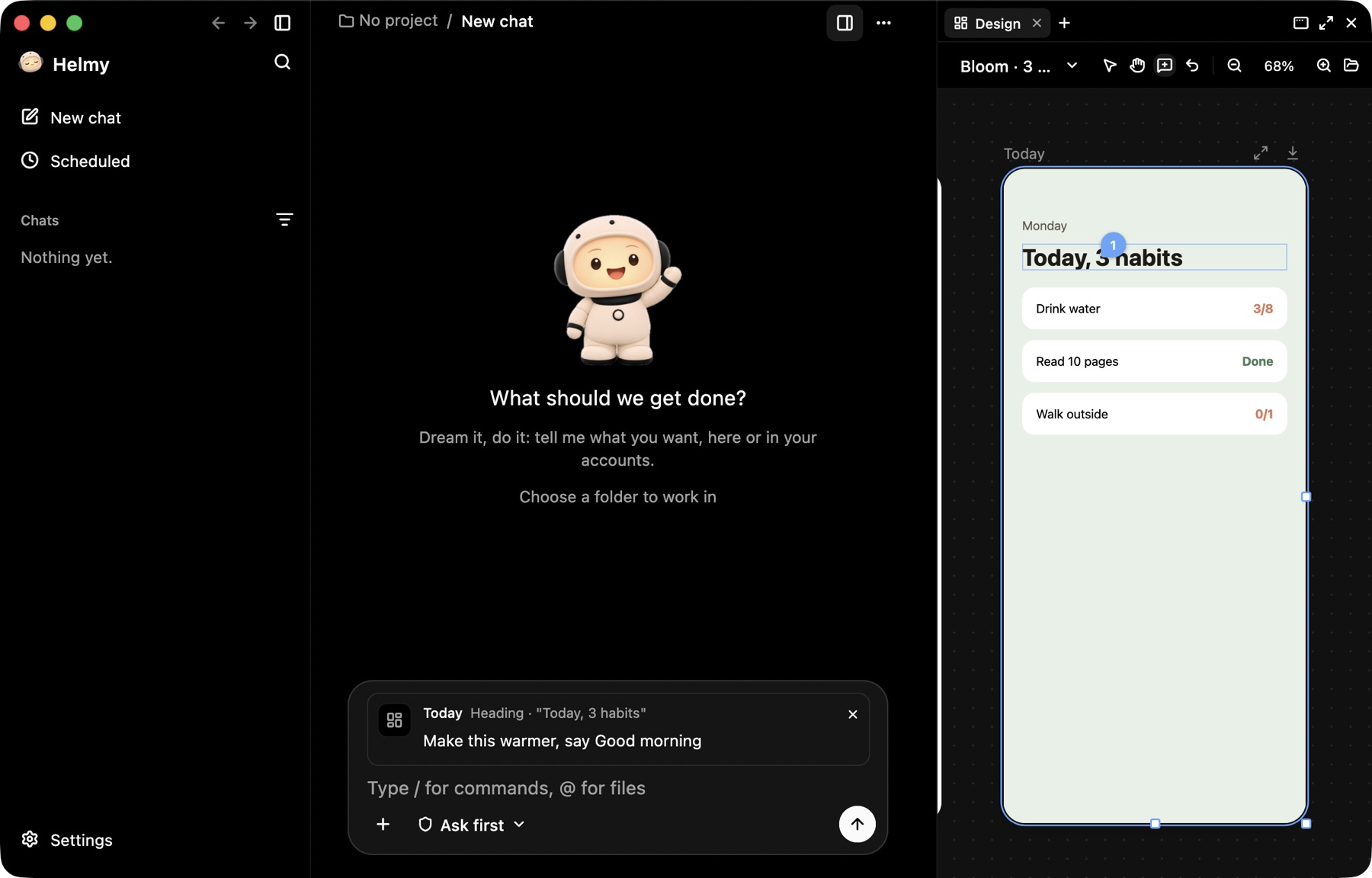
Ask for an app's screens or a landing page. They show up next to the chat as real pages you can zoom, drag and retype. Point at something and say what to change.
- Phone, tablet and web sizes. Drag a page to any width.
- Your edits save to the files, so Helmy sees them.
- Leave a comment on any element and send it with your message.
In your hand
Take it with you.
Scan a code to pair your phone, and your chats follow you, live. Send a message, approve something or stop a task from wherever you are. Designs open there too, and you can tap from screen to screen.
- Encrypted with a key only your pairing code has.
- Works on the same Wi-Fi, or anywhere with Tailscale.
- Need the Mac itself? Its screen is a tap away.

93%
of permission prompts get approved anyway, according to Anthropic. People stop reading them.
No more Allow, Allow, Allow
It only asks when it matters.
Helmy checks every action against what you asked for. Reading files and editing in the chat's folder just happen, since they can be undone. Anything that leaves your Mac or can't be taken back comes to you as one plain question.
Push the README fix to the main branch?
The check sees your messages and the action, never the contents of a web page or a file. Instructions hidden in them can't talk their way past it. Passwords, keys, downloaded scripts and sudo always ask you first.
The vault
Your keys stay out of the chat.
API keys live in your Mac's Keychain or in HashiCorp Vault. Helmy can run things that need them, but only ever sees their names. If a key turns up in the output, it's blanked out. And .env files are off limits.
- When a key is needed, you type it in a private field, not the chat.
- Paste a key by accident and Helmy stops it before it goes out.
- Use the same keys in your own terminal with helmy run.

Open source
Yours to read, change and run.
Helmy is BSD licensed, and its code is on GitHub. There is nothing to pay for. It runs on subscriptions you already have. Don't like something? Change it, or ship your own build.
- Free. No Helmy account to make.
- Your chats, files and keys stay on your Mac.
- Nothing you'd want for yourself is held back.


Get Helmy.
Free and open source. On first run it connects to Claude Code, Codex, OpenCode or Ollama. Have none? It installs OpenCode for you.